
Screen Recorder1.0.5 - Google Play
You'll be able to see results in few seconds.
Publisher Description
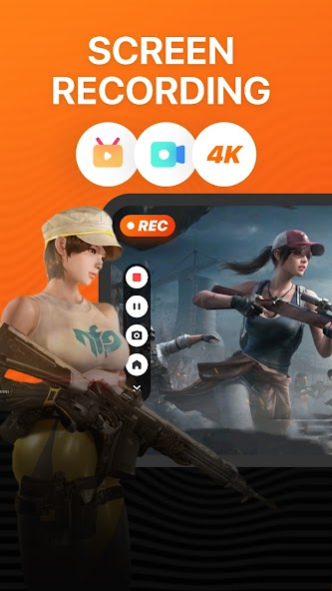
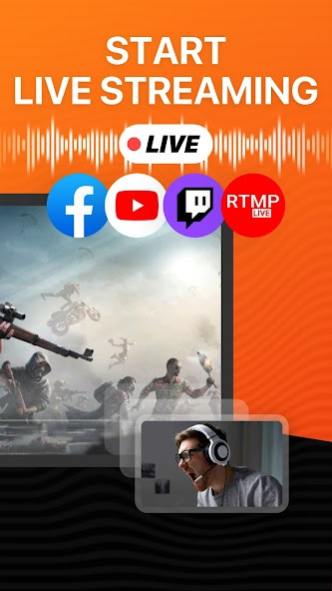
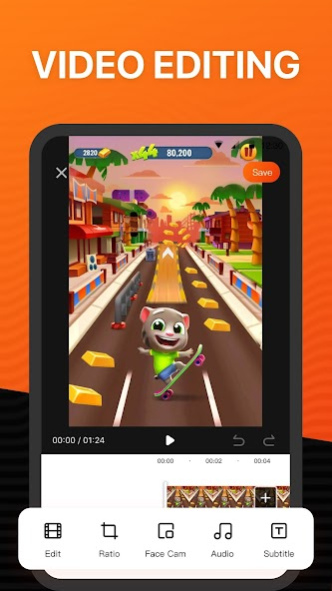

Screen Recorder is a powerful easy to use stream creator and screen recorder.With Screen Recorder,you can livestream your screen to YouTube and Twitch and record screen videos. It can record clear and smooth videos with simple operations, allowing you to easily record live games, sports games, online classes, etc. After recording, you can edit the video, use Face Cam to add video reactions and audio comments to further enhance your recording! Added GIF to video function. In addition, you can also beautify and add filters to videos.
FUNCTIONS
POWERFUL SCREEN RECORDER
HIGH-QUALITY LIVE STREAMING
EASY TO USE VIDEO EDITOR
LIVE STREAMING
- One-click live streaming to YouTube and Twitch.
- Supports RTMP address.
- Support 1080P live video quality.
- Support adjusting application audio and microphone audio.
- Support horizontal screen live broadcast.
SCREEN RECORDING
- Face Cam, you can use the beauty function to record reaction videos.
- HD screen recording, support exporting 1080P video, enjoy the visual feast.
- Screen recording parameter settings, support free setting of bit rate, resolution, frame rate parameters.
VIDEO EDITING
- Professional level filters, a variety of filter styles to choose from.
- Change speed, adjust video speed of different sections.
- Video volume, quickly adjust the video volume.
- Custom canvas, provide a variety of canvas sizes.
About Screen Recorder
The company that develops Screen Recorder is Kevin's Lab. The latest version released by its developer is 1.0.5.
To install Screen Recorder on your Android device, just click the green Continue To App button above to start the installation process. The app is listed on our website since 2023-02-17 and was downloaded 0 times. We have already checked if the download link is safe, however for your own protection we recommend that you scan the downloaded app with your antivirus. Your antivirus may detect the Screen Recorder as malware as malware if the download link to com.softin.ace is broken.
How to install Screen Recorder on your Android device:
- Click on the Continue To App button on our website. This will redirect you to Google Play.
- Once the Screen Recorder is shown in the Google Play listing of your Android device, you can start its download and installation. Tap on the Install button located below the search bar and to the right of the app icon.
- A pop-up window with the permissions required by Screen Recorder will be shown. Click on Accept to continue the process.
- Screen Recorder will be downloaded onto your device, displaying a progress. Once the download completes, the installation will start and you'll get a notification after the installation is finished.
Program Details
System requirements
Download information
Pricing
Version History
version 1.0.5
posted on 2023-02-17
- Fixed some minor bugs
- Improved stability and application performance
Disclaimer
Official Google Play Link
We do not host Screen Recorder on our servers. We did not scan it for viruses, adware, spyware or other type of malware. This app is hosted by Google and passed their terms and conditions to be listed there. We recommend caution when installing it.
The Google Play link for Screen Recorder is provided to you by apps112.com without any warranties, representations or guarantees of any kind, so access it at your own risk.
If you have questions regarding this particular app contact the publisher directly. For questions about the functionalities of apps112.com contact us.
